Made with Seedance 2.5
Video preview
A preview clip created with Seedance 2.5. Use the controls to play it with sound.

 Seedance 2.5
Create a video from a text prompt or a starting image. Shape the duration, frame, resolution, and generated audio, then review your settings in the Bezio video studio.
Made with Seedance 2.5
A preview clip created with Seedance 2.5. Use the controls to play it with sound.
Input → Output
Explore how visual references and deliberate prompts can shape a scene, guide a sequence, or connect two moments.
Give one carefully composed frame room to become a complete, atmospheric scene.
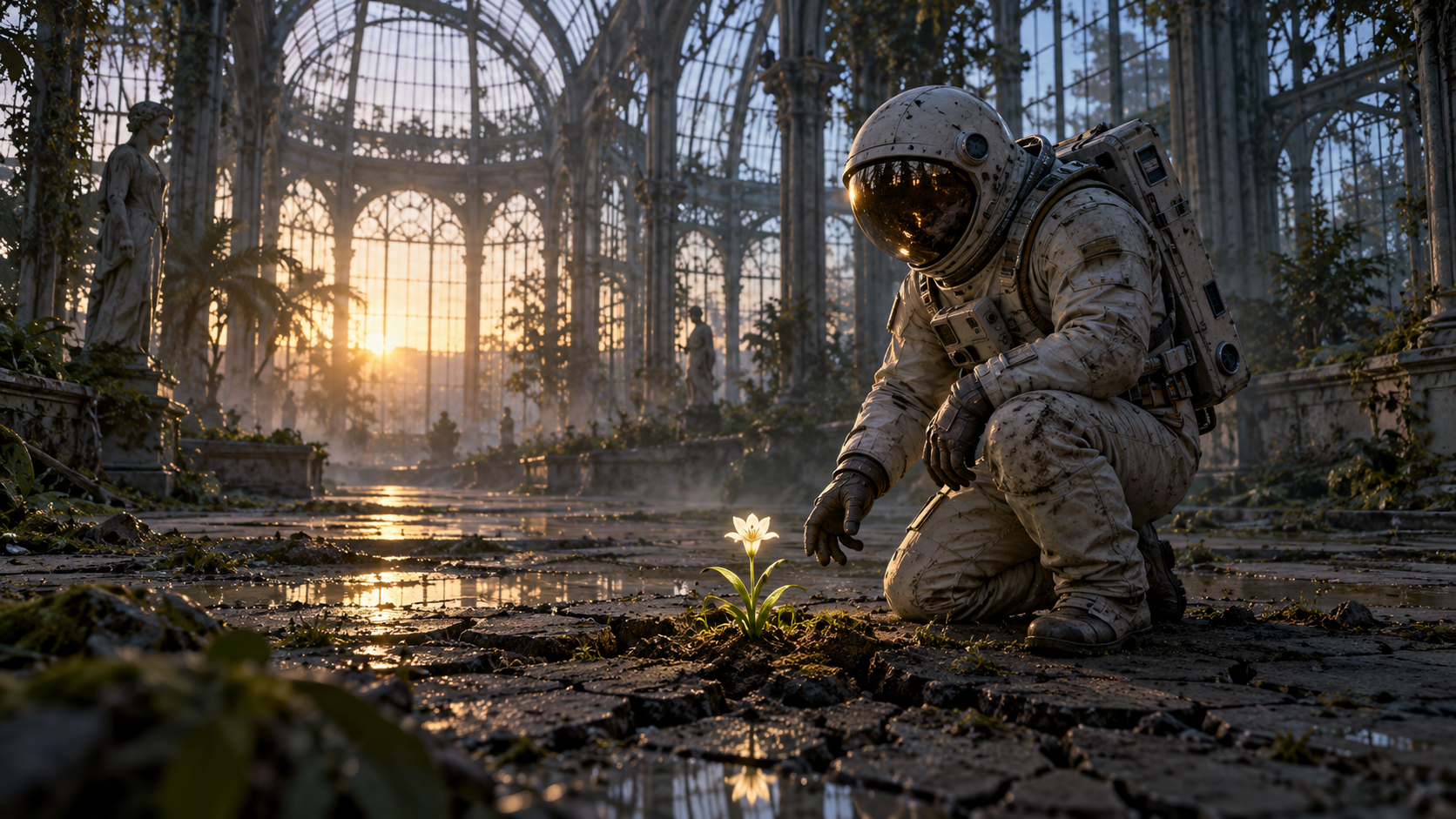
Prompt
The provided still image is the exact opening frame and defines the suited explorer, greenhouse, flower, and dawn lighting. Create a calm, realistic, single-take cinematic moment in an abandoned glass greenhouse. 0-3s: the explorer notices a small living flower and slowly leans closer. 3-6s: a gloved hand gently reaches toward the flower without touching it; condensation on the glass catches soft morning light. 6-10s: the camera makes a restrained arc around the explorer and gradually pulls back to reveal the quiet greenhouse. Keep all movement subtle and natural; preserve the enclosed suit and peaceful mood. Soft greenhouse ambience only, no dialogue, no music, no subtitles, no watermark.
Guide identity, movement, and the final composition with three intentional keyframes.
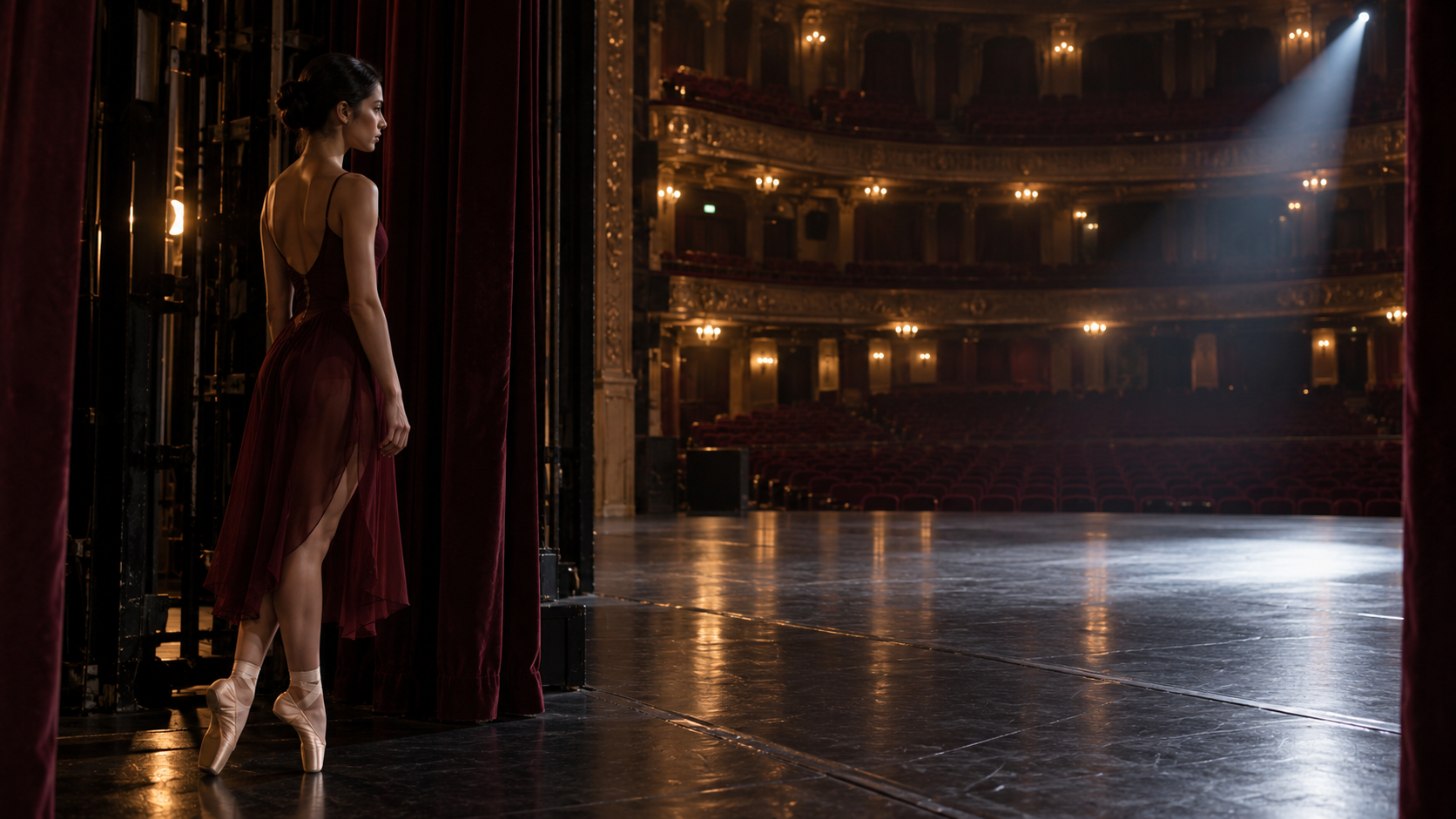
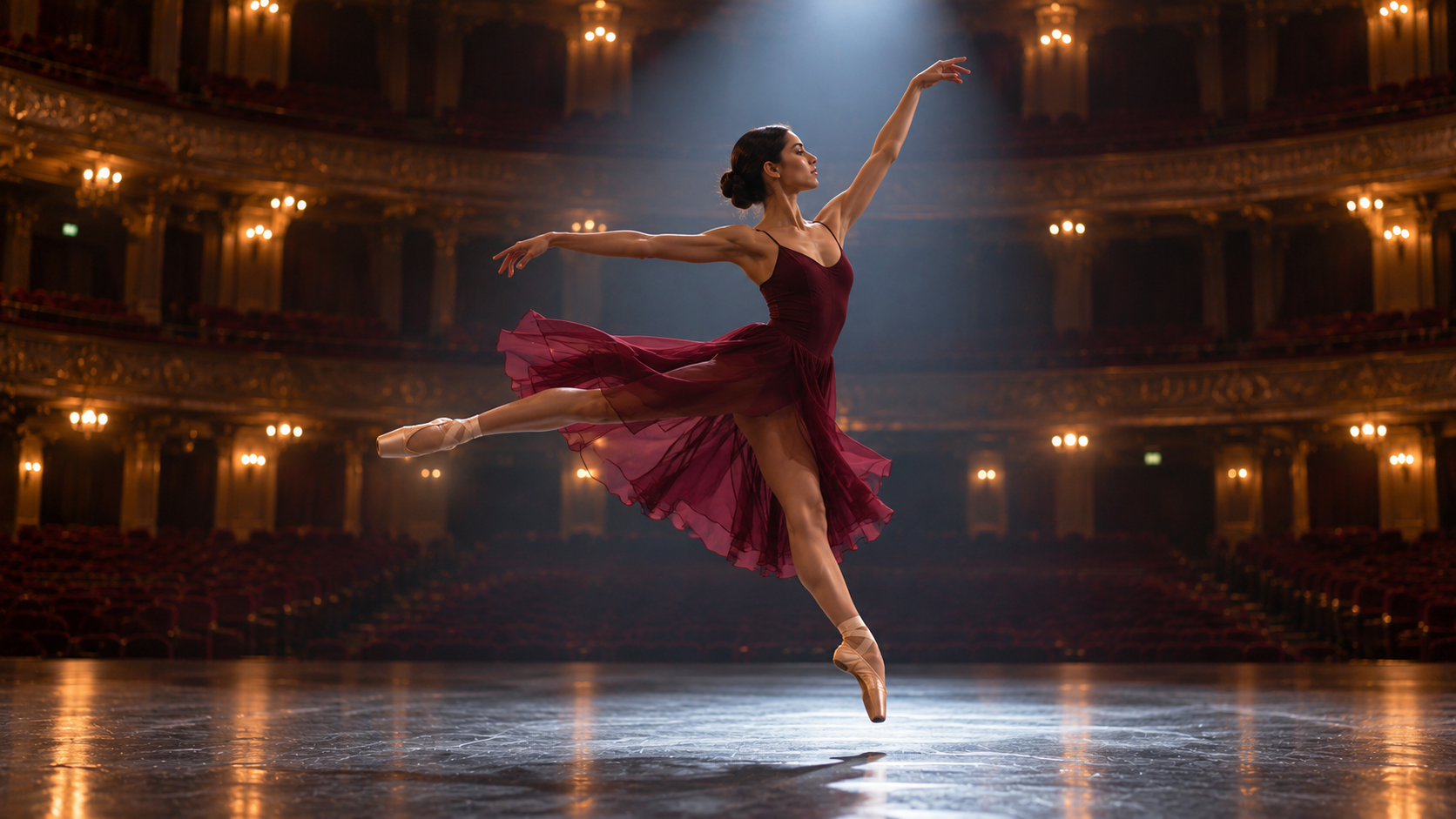
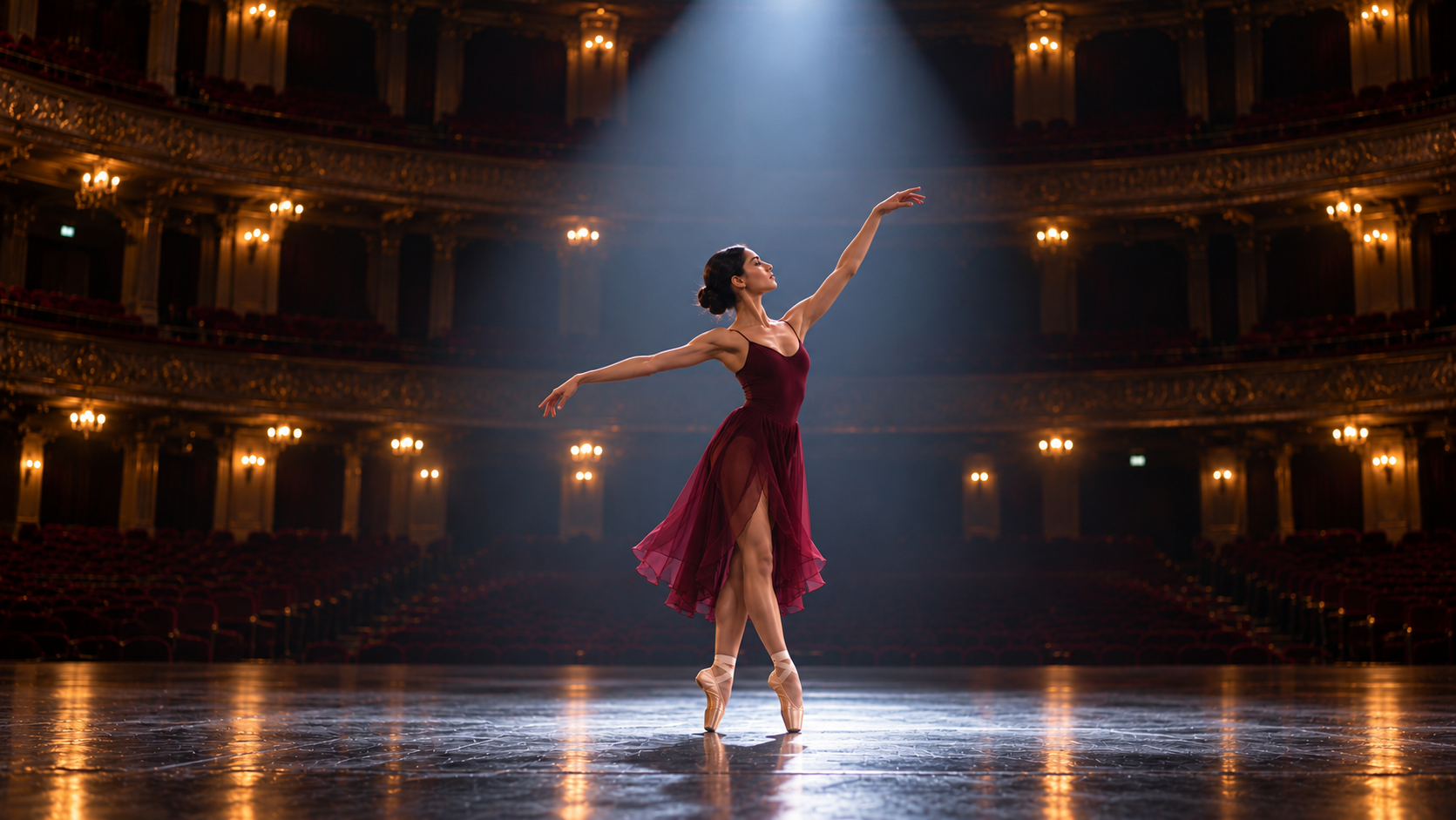
Prompt
References: @Image1 is the dancer waiting behind the curtain and establishes her identity and costume; @Image2 is the mid-performance turning leap and guides the movement; @Image3 is the final held pose and guides the ending composition. Create one coherent 10-second dance-film sequence in the same grand theater. 0-3s: track smoothly as the dancer leaves the curtain and enters the stage, maintaining the burgundy dress, face, and hair from @Image1. 3-7s: arc with her through one graceful turn, using the full-body stage movement and spotlight direction of @Image2. 7-10s: settle into a wide, composed frame as she completes the movement and holds the quiet final pose guided by @Image3. Keep dancer identity, costume, theater architecture, and palette consistent; natural choreography, subtle fabric movement, soft stage ambience and pointe shoes on wood, no dialogue, no music, no extra performers, no subtitles, no watermark.
Set the opening and destination, then direct the camera through a continuous transition.
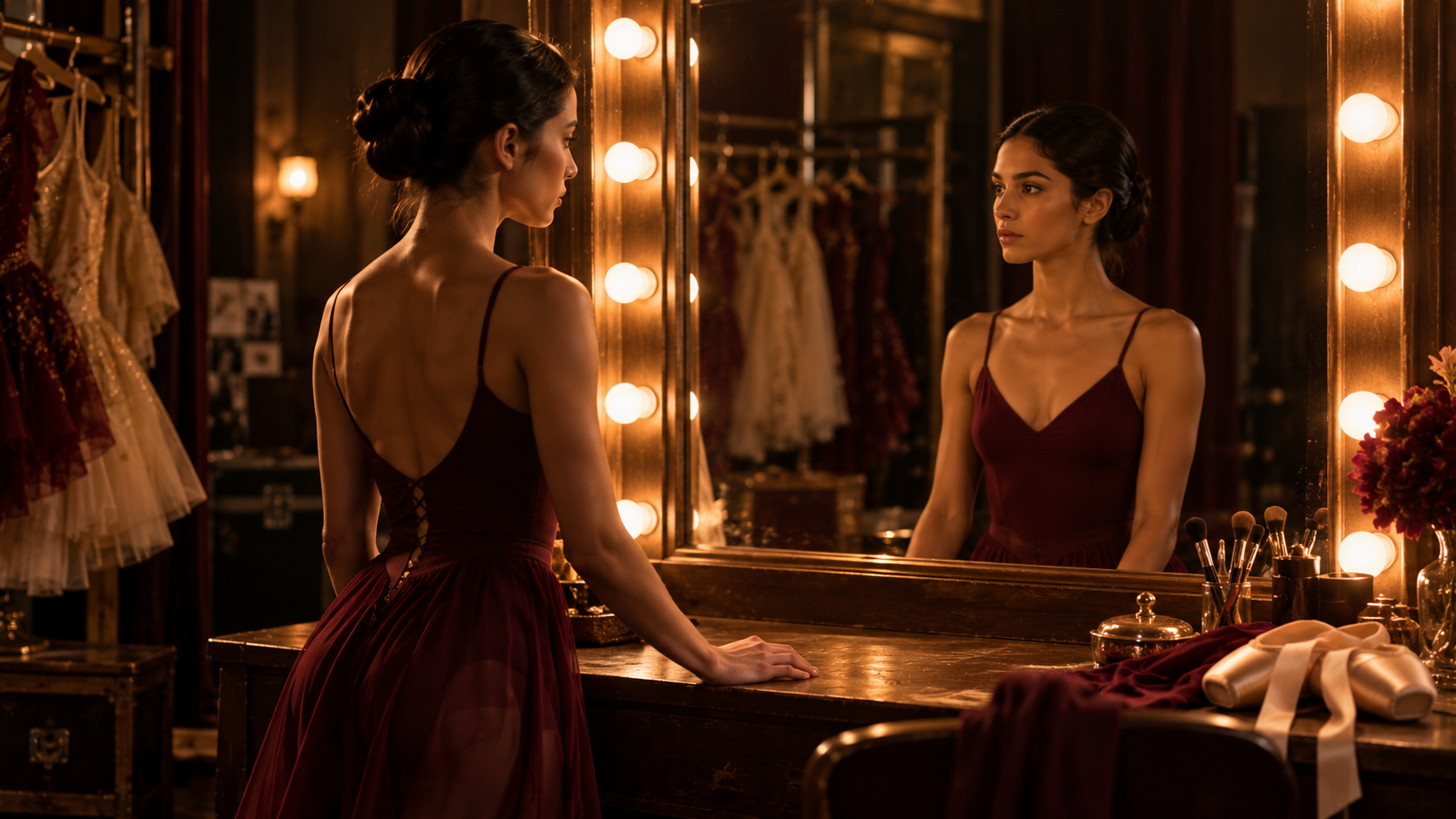
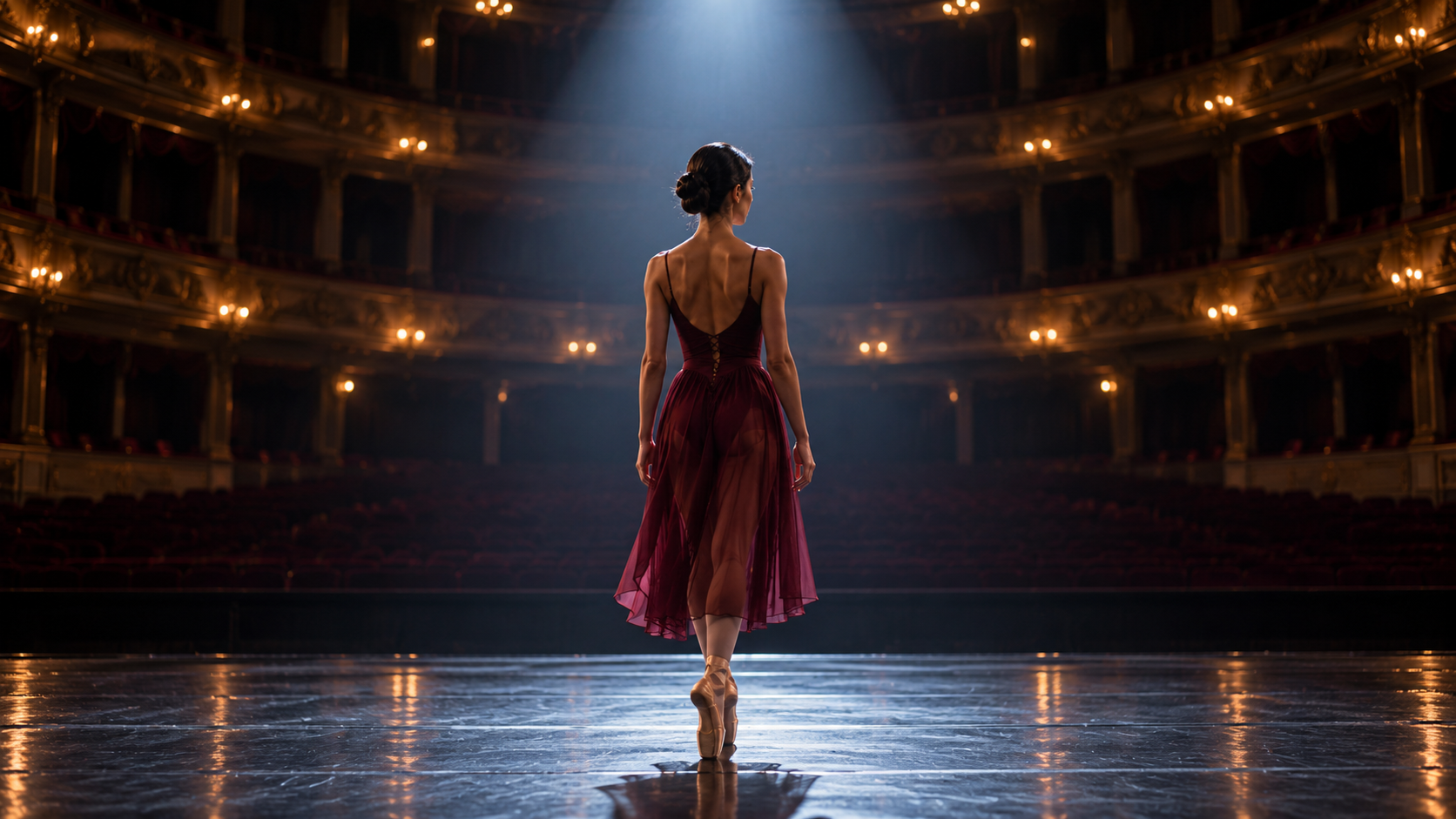
Prompt
@Image1 is the exact opening frame in the warm dressing room; @Image2 is the intended final composition on the cool, empty theater stage. Preserve the same dancer and burgundy costume throughout. Create a physically continuous transition in one 10-second tracking shot. 0-3s: hold briefly on her reflection, then she turns away from the mirror and walks toward the dressing-room door. 3-7s: follow behind as she passes through the corridor; let warm amber bulbs gradually give way to cool theater darkness, with no sudden cut or morph. 7-10s: she steps onto the stage and stops beneath the single white spotlight, arriving at the framing and pose of @Image2. Restrained emotional tone, smooth camera move, subtle footsteps and backstage ambience fading into quiet theater room tone, no dialogue, no music, no subtitles, no watermark.
Features
A 20% boost in prompt alignment helps Seedance 2.5 follow layered creative briefs with greater consistency. It tracks how subjects relate in space, keeps multi-step actions in order, and carries specific visual styles through the shot—so more of the idea you described makes it onto the screen.
Refine one part of a clip without rebuilding the whole scene. Target an object, background, or wardrobe detail while preserving the established camera movement, lighting, and surrounding action, making revisions feel more like an edit than a restart.
Give direction at specific moments—such as a turn at 10 seconds or a cut at 20—and shape how a sequence unfolds over time. Seedance 2.5 also handles prompts in languages including English, Japanese, and Spanish with more natural, faithful results, helping creators work across scripts and audiences.
Compare
Compare pricing and creative controls across three video models to find the right fit for your next scene.
| Creative need | Seedance 2.5 |   Kling 4.0 Kling 4.0 |   MiniMax H3 MiniMax H3 |
|---|---|---|---|
| Relative generation cost | Highest | Mid-range | Lowest |
| Clip duration | 4–30 seconds | 3–30 seconds | 5–15 seconds |
| Resolution in Bezio | 480p or 720p | 720p or 1080p | 480p, 768p, 2K, or 4K |
| Start with | A prompt or a start image | A prompt, plus an optional start and end frame | A prompt or a start image |
| Extra controls | Auto or six aspect ratios; audio toggle | Four aspect ratios; optional end frame | Six aspect ratios; fixed seed option |
| Consider it for | A longer clip where you want an audio control in the form | A longer directed shot with a defined opening and ending | A shorter clip when resolution and repeatable seeds matter |
Cost tiers are indicative and use each model's lowest listed output setting as a baseline; actual costs vary with resolution, duration, and generation options. The comparison was checked October 27, 2026. Learn more from the official pages for ByteDance Seed, Kling AI, and MiniMax.
Use Cases
See how Seedance 2.5 can support product storytelling, choreographed action, and creator-led video.
Product video
Use Seedance 2.5 to build a short product film around a deliberate camera move, tactile detail, and carefully described lighting. It suits launch creative, e-commerce showcases, and social ads that need a clear visual hook.
Fight scene
Describe the fighters, choreography, camera path, and beat-by-beat action to shape a scene with momentum. Seedance 2.5 is a useful fit for action concepts, previsualization, and stylized sequences where clear movement and shot continuity matter.
Vlog
Plan a stronger opening, a few visual cutaways, and a satisfying closing beat for a travel or lifestyle vlog. Seedance 2.5 can help turn a simple brief or reference image into cinematic inserts that add atmosphere and pacing around a creator's story.
Step by step
From your first prompt to a finished video.
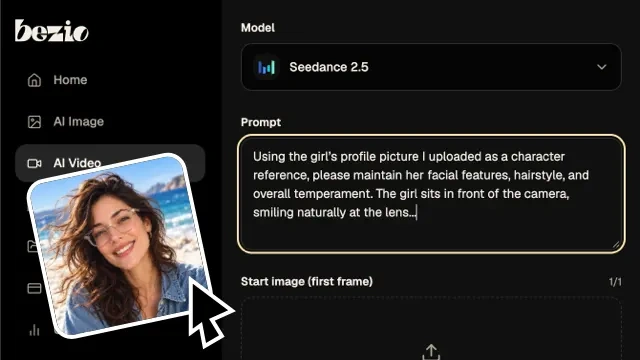
Write what happens, who or what is in frame, and how the camera should move. Start with a clear action and one camera direction.
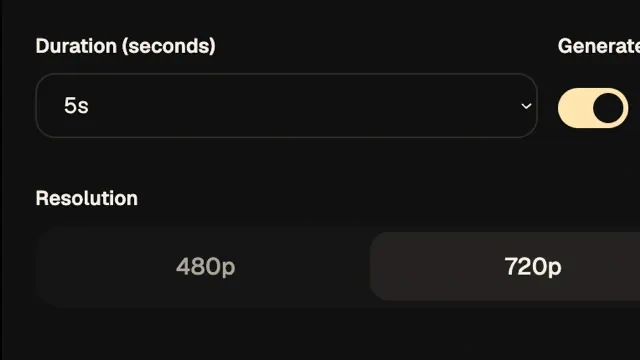
Choose duration, resolution, aspect ratio, and audio. You can also upload a start image in the video studio to guide the motion.
Open your settings in the Bezio video studio, check the credit quote, make any final edits, and start the Seedance 2.5 generation.
Questions, answered
In Bezio's current Seedance 2.5 video workflow, choose a duration from 4 to 30 seconds. A single longer take can give an action or camera move more room to develop.
Yes. Open the video studio, select Seedance 2.5, and upload a start image to guide the shot. The current Bezio form does not expose an end-frame control.
The current integration offers 480p and 720p. Text-to-video supports Auto or six aspect ratios. Image-to-video uses the uploaded start frame to guide the shot.
Yes. Use the Generate audio switch on this page. Your choice is carried into the video studio, where you can review the settings and credit quote before starting.
No. This page carries your prompt and settings into the Bezio video studio. You can review or change them and see the credit quote before starting a generation.
Start with the main subject and scene, then describe the action, camera movement, lighting, and mood. For a multi-shot sequence, outline the key beats in order and use time cues when timing matters. Clear direction helps shape the result, though generated details may vary.
No. You can create a video from a text prompt alone. To guide the opening frame, switch to image-to-video and upload a starting image.
Bezio's current Seedance 2.5 workflow supports text-to-video and image-to-video with a starting image. It doesn't currently expose the broader multimodal reference workflow described on some other platforms.