Tutorials
MiniMax H3 for Video Creators: More Room to Experiment
Mira Lin
AI Content Editor · Independent Writer
I like a video model that lets me test a shot without spending my whole credit budget on the first try. MiniMax H3 is useful for that kind of work: short clips, clear controls, and a low-cost way to explore an idea before I polish it.
MiniMax describes H3 as a multimodal video model. It can use text, images, video, and audio as context, and MiniMax says it can generate clips up to 15 seconds at 2K with stereo sound. In the Bezio MiniMax H3 studio workflow, I can start with a prompt or one image, choose a 5–15 second clip, and pick a resolution from 480p to 4K. For text-to-video, I can also choose the frame shape and add an optional seed.
For the full model description, see MiniMax’s H3 announcement. The controls in an app can differ from the full model or API, so I check the settings in the studio before I plan a shot.
Why I reach for H3
The cost is easy to manage. On Bezio, MiniMax H3 starts at 4 credits per second at 480p. I can use that setting to test whether the movement and framing feel right, then spend more credits on a higher-resolution version when the idea works.
| Resolution | Credits per second | 5-second clip |
|---|---|---|
| 480p | 4 | 20 credits |
| 768p | 5 | 25 credits |
| 2K | 10 | 50 credits |
| 4K | 12 | 60 credits |
These are current Bezio credit rates, not MiniMax API prices in dollars. The studio shows the quote for your selected duration and resolution before you start. MiniMax publishes its separate API pricing here.
I also like that I can begin with either text or an image. A prompt is handy for a new scene. A start image is better when I already have a product photo, character, or opening composition I want to keep.
Two H3 examples to study
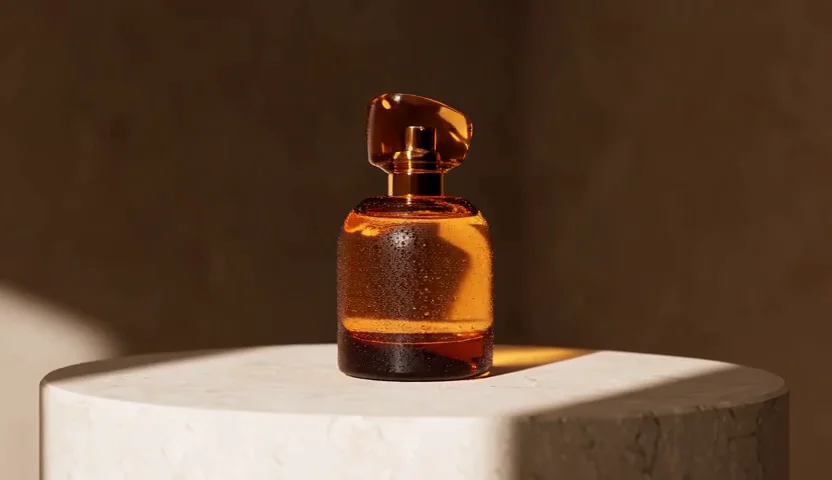
In this product reveal, the bottle stays at the center while the camera makes a slow orbit. I would use this kind of shot for a launch page or a short social post.
This station scene is a good reminder to describe the camera move, weather, and mood in plain language. One clear action is often enough for a short clip.
How I would use it on a real brief
- Write one action. Name the subject and setting, then say what changes during the shot.
- Direct the camera. Try a slow orbit, a gentle push-in, or a locked camera. Add lighting or mood after the main action is clear.
- Start with a short, lower-resolution test. Five seconds at 480p costs 20 credits on Bezio. If the movement works, I can raise the resolution or extend the clip.
- Use a start image when the first frame matters. It gives H3 a visual anchor for a product, person, or composition.
- Check the quote, then generate. Open the Bezio video studio, choose MiniMax H3, and review the credit quote before spending.
H3 is a good fit when I want flexible resolution choices and a cost-conscious way to make short scenes. If I need a longer clip or a different set of controls, I compare the options on the MiniMax H3 guide and choose the model that fits the shot.