Sample result · Flare
From prompt to image
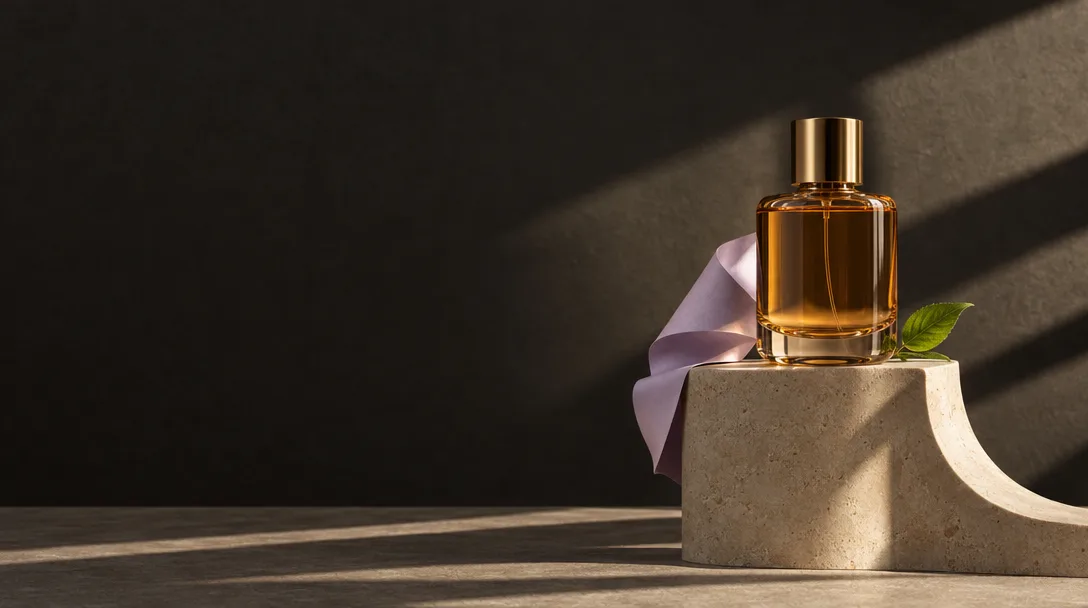
A product concept made from a text prompt with Flare. Choose “Use sample prompt” to start from the exact brief.
Inside the prompt
SubjectAmber bottle
LightWarm side light
FrameOpen left side

 GPT Image 2.5
Move from a clear visual idea to a finished image. Start with Flare for everyday creation or choose Sunburst when fine detail and precise editing matter.
Sample result · Flare
A product concept made from a text prompt with Flare. Choose “Use sample prompt” to start from the exact brief.
Inside the prompt
Use cases · prompt gallery
Explore four original images made with GPT Image 2.5. Open a full prompt or carry it into the studio as a starting point.
Flare · Text to image
Explore lighting, materials, and composition before a product shoot.
Create a premium editorial still life photograph for a creative AI image studio landing page. A translucent amber glass perfume bottle with NO label and NO text stands on a sculptural cream stone plinth; a folded pale lilac paper ribbon and a small lime-green leaf add restrained color. Warm low-angle daylight projects crisp architectural shadows across a charcoal backdrop. Art direction: tactile materials, controlled reflections, nuanced natural lighting, luxury product photography, generous negative space on the left for an external page heading. No people, no letters, no logos, no watermark.
Sunburst · Text to image
Give a headline, subject, and page hierarchy one visual direction.
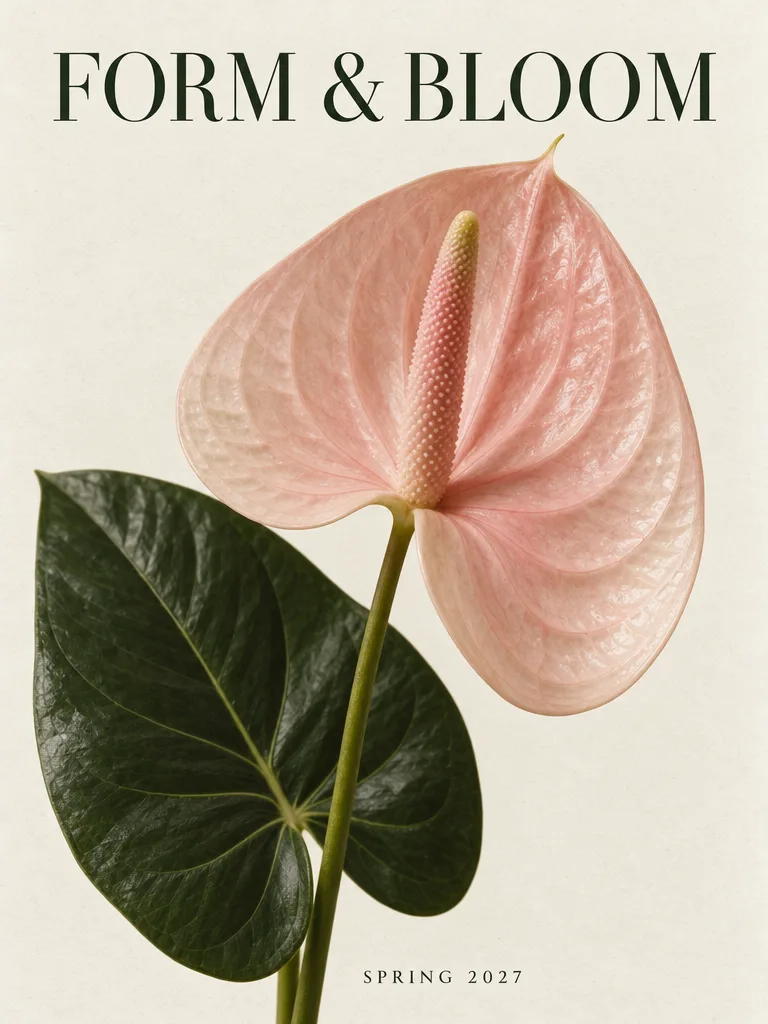
Design a sophisticated editorial poster for an imaginary flower exhibition. Large, clear headline text exactly "FORM & BLOOM" at the top, and small date text exactly "SPRING 2027" near the bottom. One sculptural pale-pink anthurium flower and its deep green leaf, photographed with natural texture against warm off-white paper. Precise typography, clean grid, ample margins, subtle print grain, gallery-quality graphic design. No other words, no logo, no watermark.
Flare · Text to image
Create a fictional subject with a setting, mood, and natural texture.
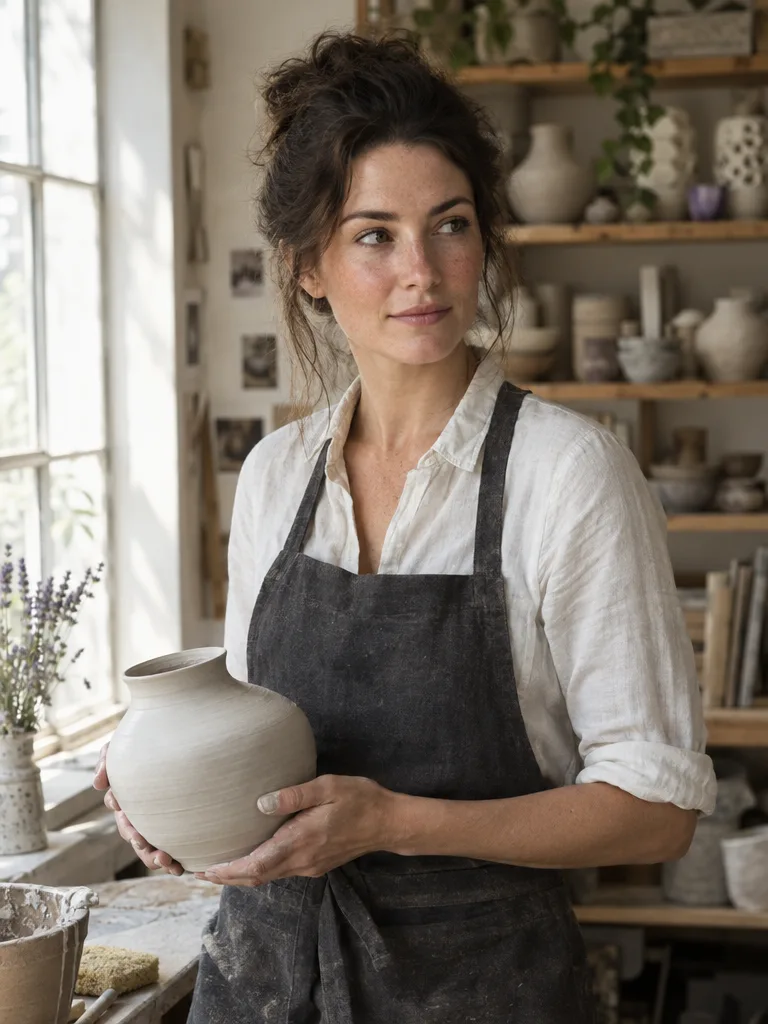
Photorealistic editorial portrait of a fictional female ceramic artist in her sunlit workshop. She wears a simple charcoal apron over an ivory shirt and gently holds an unfinished ceramic vessel. Soft window light, natural skin texture, shelves of handmade objects blurred behind her, warm neutral palette with a very small lavender accent. Thoughtful, candid expression, medium-format photography, no text, no logos, no watermark.
Flare · Text to image
Set the place, character, and atmosphere for a visual concept.
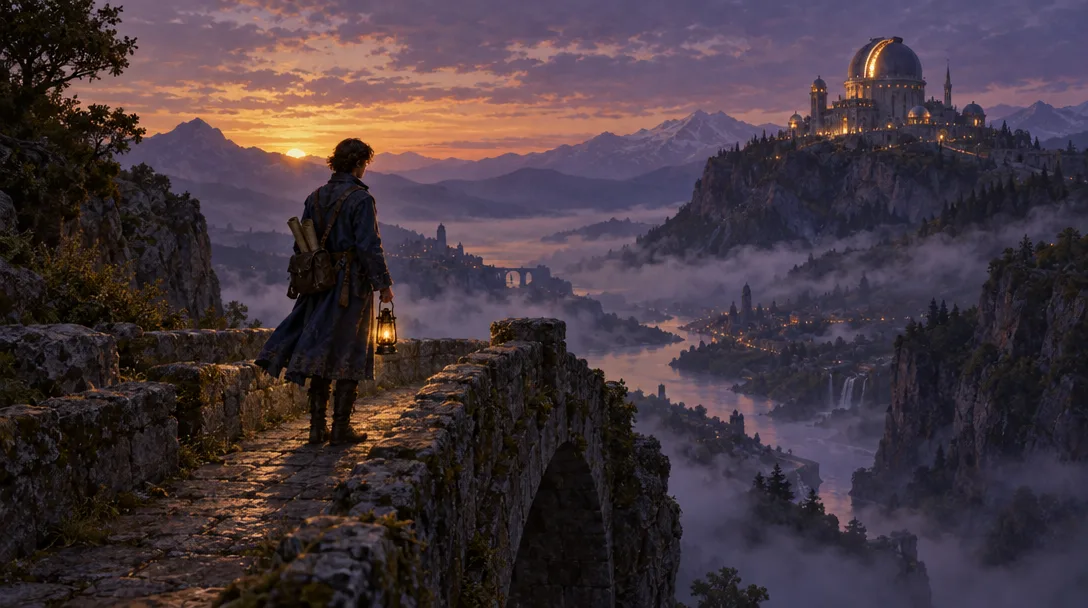
Create a single cinematic story keyframe for an original fantasy film concept. At dusk, a young cartographer in a weathered indigo coat stands on a narrow stone bridge above a misty valley, holding a small brass lantern while a distant observatory glows on the opposite ridge. Wide composition with clear foreground, middle ground, and background, readable silhouette, one coherent light direction, subtle hand-painted film texture, restrained violet and warm gold palette. This is one still image for visual development, not a storyboard grid. No text, no logo, no watermark.
The links prefill the prompt, variant, aspect ratio, and quality. Results can vary; the studio uses its current size presets.
Look closer
These examples show the actual output beside the creative instruction that shaped it.
Typography and layout
The poster prompt specified an exact headline, date, flower, and print layout. Inspect the visible result for text accuracy and spacing before using it in a campaign.
People and texture
This fictional ceramic artist was prompted with natural skin texture, window light, clothing, and a handmade vessel. The result shows how those details can work together in one portrait.
Reference image editing
This edit used the Flare product image as its reference, then asked Sunburst to change only the lighting. A specific instruction gives the model a clearer boundary for what to preserve.
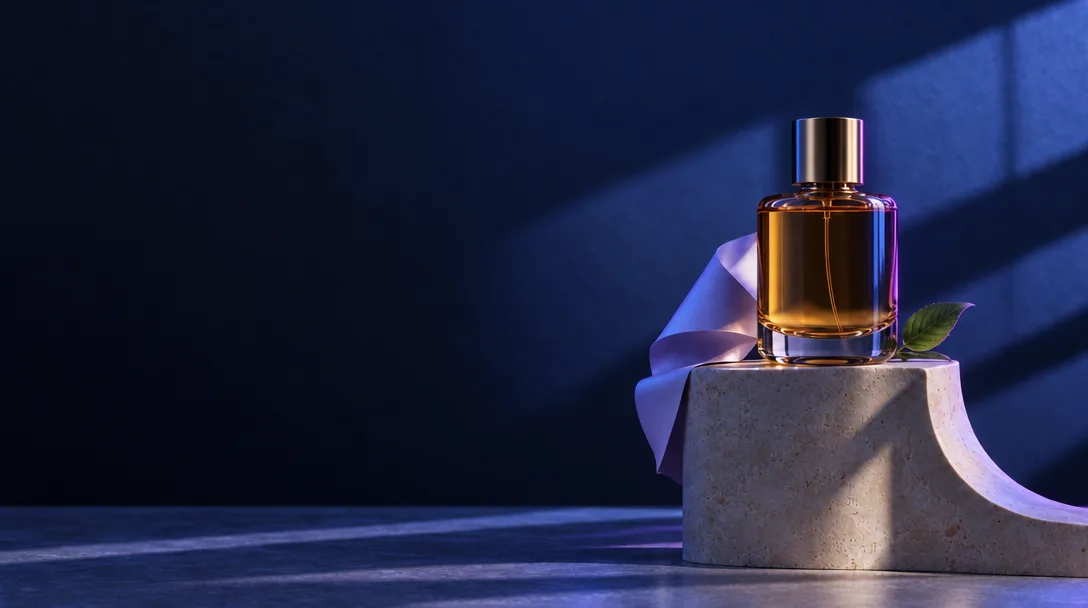
Use the provided product photograph as the reference. Keep the exact amber bottle shape, the cream stone plinth, the camera angle, and overall composition. Change only the scene lighting to a cool blue hour with soft cobalt reflections and a subtle violet edge light. Keep the bottle unlabeled. Photorealistic premium campaign image, no text, no logo, no watermark.
Choose your model
Both support text generation and reference image editing in Bezio. Choose based on your creative pace and need for precision.
| Decision | Flare | Sunburst |
|---|---|---|
| Reach for it when… | You want to explore ideas and iterate quickly. | You have a detailed brief or a precise edit. |
| Example on this page | Product concept, portrait, story keyframe | Poster typography, product lighting edit |
| What to expect | Faster response for everyday image work | More processing time for fine detail |
Bezio form options checked November 6, 2026: both variants offer aspect ratio, resolution, quality, image count, and format controls. Variant positioning follows OpenAI’s GPT Image 2.5 announcement. Generation time and image results vary by prompt and settings.
Step by step
Write the subject, composition, light, and style. To edit, add reference images in the studio.
Pick Flare or Sunburst, then set aspect ratio, resolution, quality, and output count.
Open the image studio, check the credit quote, adjust any options, and start your generation.
Questions, answered
Flare is the quicker default for everyday image creation and editing. Sunburst takes longer and is intended for work that needs closer attention to intricate detail and precise edits. Both variants are available in Bezio.
Yes. In the image studio, choose Flare or Sunburst, add a reference image, and describe what to change. The current form accepts up to 16 reference images. Keep the edit instruction specific about what should stay the same.
Bezio currently offers Auto or preset aspect ratios, 1K, 2K, or 4K resolution, quality from Auto through Maximum, one to four images, and PNG, JPEG, or WebP output. With Auto aspect ratio, resolution is saved but not sent to the model.
No. This page carries your prompt and selected options into the image studio. Review the credit quote and settings there before starting a generation.
Identify the element to change, describe the new result, and state which parts of the source image should stay fixed. For example, request a lighting change while preserving a product’s shape, camera angle, and composition.
Create a first draft with Flare or give your details more attention with Sunburst.