OpenAIOpenAIGPT Image 2.6

GPT Image 2.6 AI Image Generator

Create illustrations, memes, and polished images with Flare or Sunburst. Explore the model’s new animated GIF and vector SVG capabilities through real generated examples.

  • Text to image
  • Reference image editing
  • Animated GIF examples
  • True vector SVG examples

Create with GPT Image 2.6

Choose a starting point, then finish in the image studio.

Choose a variant

GPT Image 2.6 requires a paid plan. Review the credit quote before generating.

Sample result · Flare

Make the idea visible

GPT Image 2.6
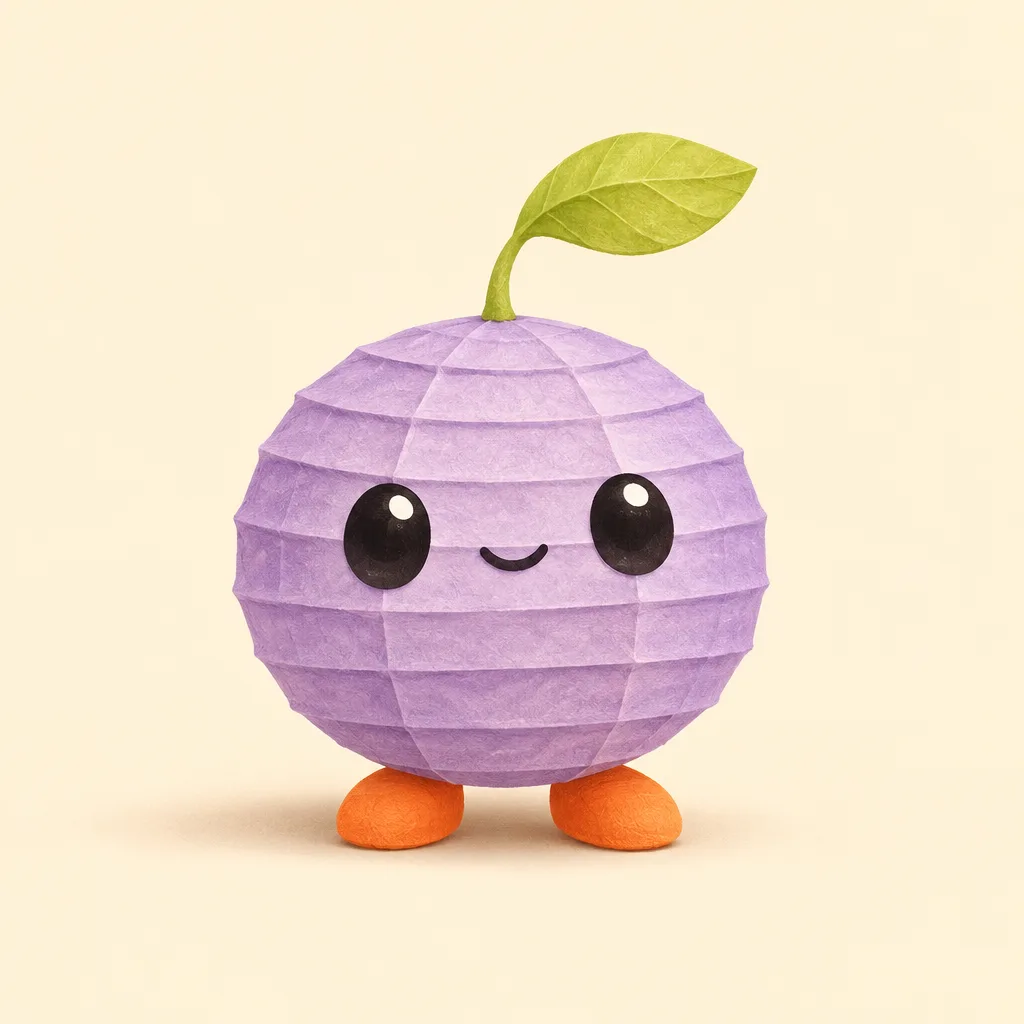
Still lavender paper lantern mascot generated with GPT Image 2.6
Generated still · Flare
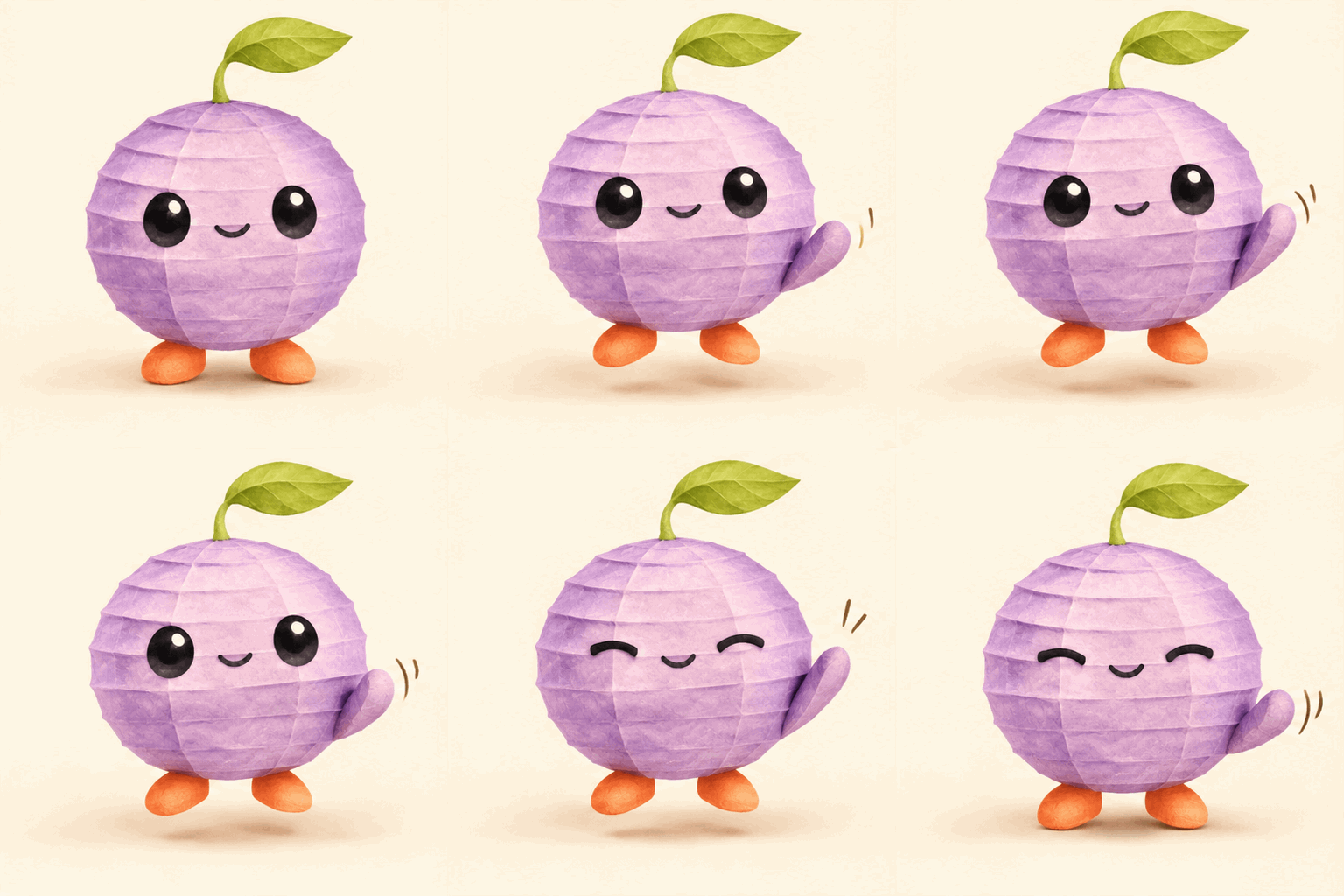
Animated lavender paper lantern mascot blinking and waving
Reference → GIF · Flare

The sample prompt creates the still mascot. The animated GIF beside it is a separate reference-image generation, shown in the format section below.

Choose PNG, JPEG, WebP, animated GIF, or vector SVG in the image studio. SVG starts from a text prompt; GIF can use a reference image.

What’s new in GPT Image 2.6

One image can move. An idea can scale.

These are original GPT Image 2.6 outputs, shown in their actual formats. The GIF starts with a reference image; the SVG starts with a text brief.

Original still image of the lavender mascot
Source image
Animated lavender mascot blinking and waving in a loop
Generated GIF

Reference image → animated GIF · Flare

Give a mascot a little life

A six-frame looping GIF adds a wave and a blink while keeping the character recognizable. The source still sits beside the result so you can inspect the transformation.

Actual GIF · 512 × 512 · 6 frames · 180 ms per frame. Choose animated GIF in the studio, then add a reference image for this workflow.

View the full generation prompt

Animate the provided lavender paper-lantern mascot into a short seamless looping GIF. Keep the same character design, warm cream background, colors, framing, and fixed camera. The creature looks at us, blinks once, gives a small friendly wave with one paper-fold arm, bounces gently, and returns to the exact starting pose. Smooth incremental motion over six frames, consistent face and body, no new objects, no text, no logo, no watermark.

Text prompt → SVG · Sunburst

Design with real vector paths

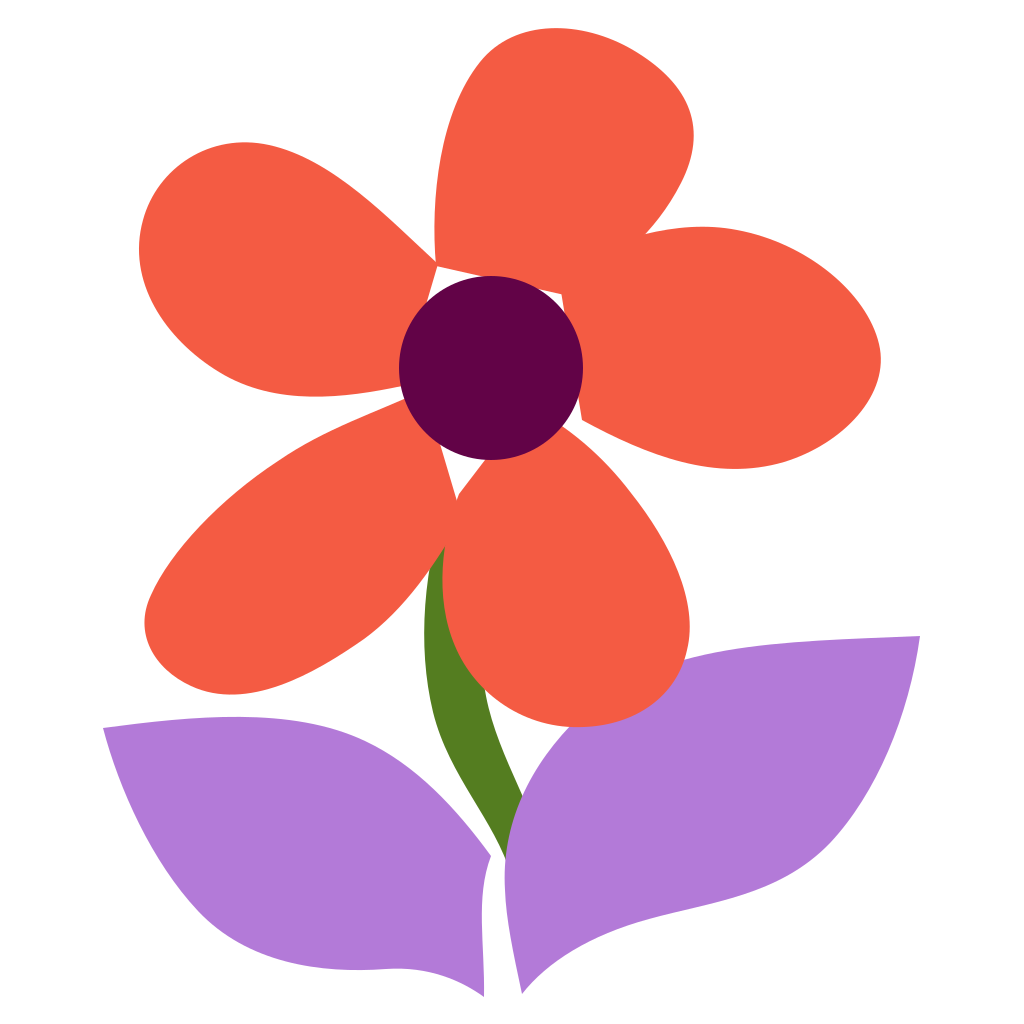
A flower icon built from vector shapes has crisp edges at any display size. The linked file is the model’s actual SVG output, with no embedded bitmap.

Actual SVG · text-to-image generation. Choose vector SVG in the studio. Reference image editing is unavailable for SVG.

View the full generation prompt

Create an original clean SVG vector illustration of one stylized flowering plant for a contemporary creative studio. A single coral-orange flower with five gently asymmetrical petals, a deep plum circular center, two lavender leaves, and a short curved green stem. Flat filled shapes with crisp editable paths, generous negative space, balanced icon-like composition, transparent background. No typography, no gradients, no raster content, no logo, no watermark.

Model format support checked November 6, 2026 against OpenAI’s image generation guide. GIF from a reference image and SVG from text were generated through fal.ai for this page.

Prompt gallery

More ways to make an image

Explore actual 2.6 results across memes, illustration, product concepts, and character design. Every card includes the generation prompt.

Lavender creature buried in browser tabs with the captions Just One More Tab and It's Research

Flare · Text to image

Memes with readable captions

Give the setup, expression, and exact top and bottom lines in one brief.

View the full generation prompt

Create an original shareable internet meme image in a clean illustrated editorial style. A very serious little lavender desk creature sits behind a laptop while a comically huge stack of browser tabs and sticky notes rises around it; it insists it has everything under control. Bold readable uppercase caption at top exactly: JUST ONE MORE TAB. Bold readable uppercase caption at bottom exactly: IT'S RESEARCH. Simple high-contrast layout, expressive face, warm cream background, violet and orange accents, no brand marks, no watermark, no other words.

Use this prompt
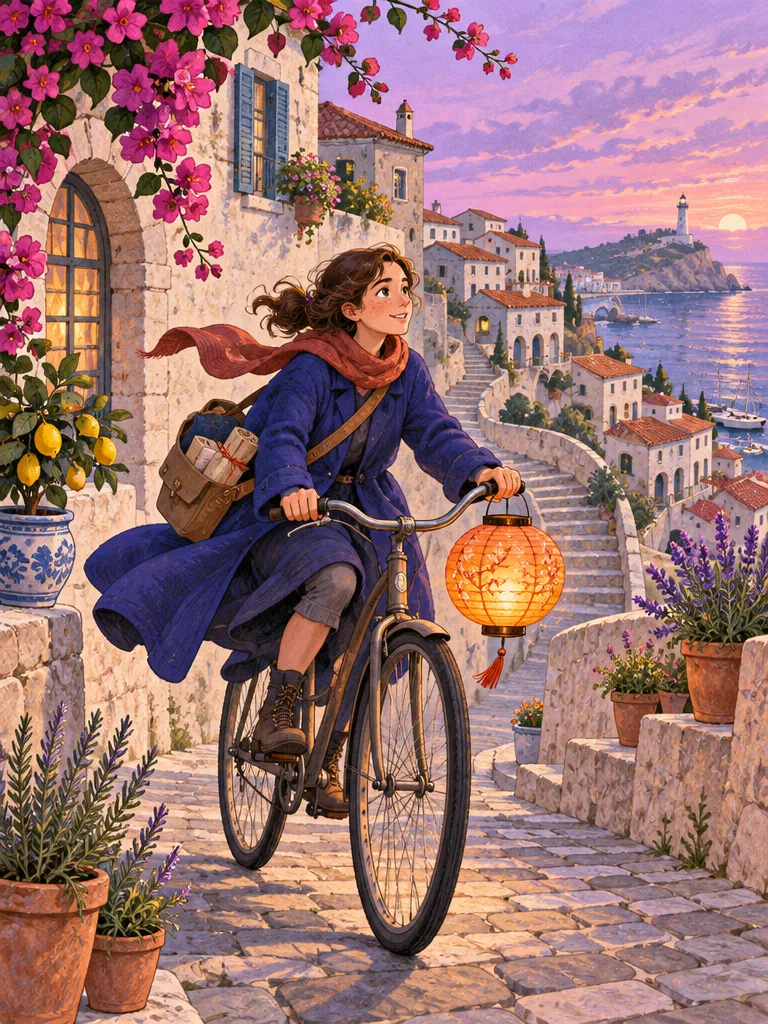
Illustrated bicycle courier carrying a lantern through a seaside town at sunrise

Sunburst · Text to image

Illustration and story worlds

Build a scene with a clear character, setting, palette, and point of view.

View the full generation prompt

Create one richly composed original storybook illustration: at first light, a young bicycle courier in a cobalt coat pedals through a terraced seaside town carrying a glowing orange paper lantern. A lavender sky, cream stone steps, little potted plants, and a distant lighthouse give the scene depth. Editorial illustration with confident shapes, subtle textured brushwork, nuanced warm and cool color, a readable silhouette and coherent perspective. No text, no logo, no watermark, no panel grid.

Use this prompt
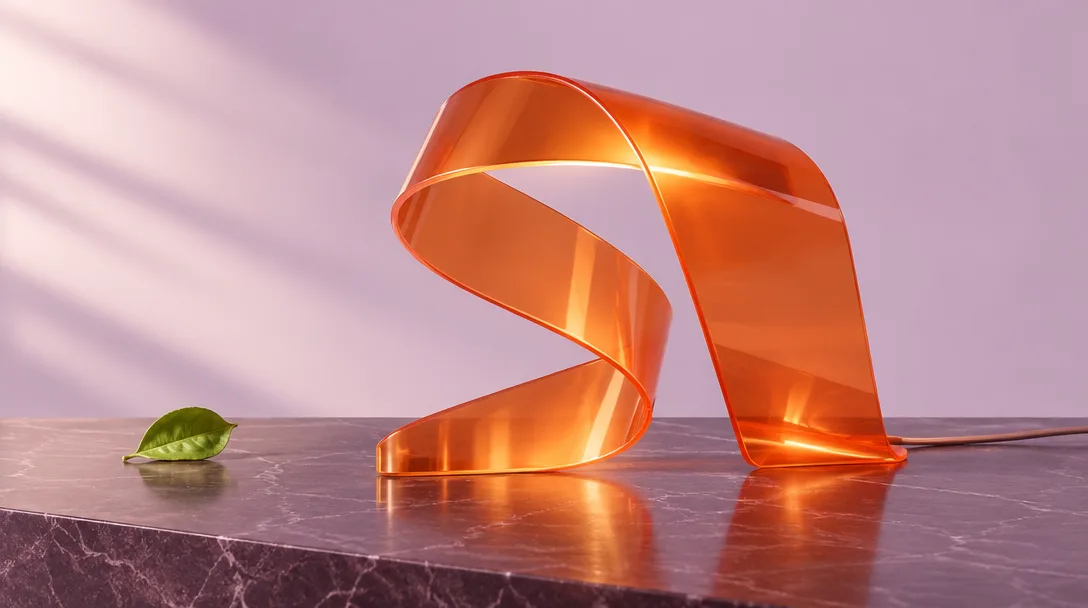
Sculptural coral orange ribbon lamp on a dark stone table

Flare · Text to image

Product campaigns

Explore an art direction before committing to a physical shoot.

View the full generation prompt

Premium product campaign photograph for an imaginary design object: a sculptural translucent coral-orange desk lamp shaped like a folded ribbon, on a dark plum stone table. The lamp has no branding, lettering, or buttons. Warm daylight from the left reveals the form and precise material reflections against a pale lilac backdrop. Minimal set with one small lime leaf and generous negative space. Credible product geometry, clean editorial framing, no people, no text, no logo, no watermark.

Use this prompt
Friendly lavender paper lantern mascot with orange feet and a green leaf antenna

Flare · Text to image

Character design

Create a recognizable mascot that can anchor a small animation.

View the full generation prompt

Create a single original friendly mascot for a creative image studio: a tiny rounded lavender paper-lantern creature with two short coral-orange feet, glossy dark eyes, and a small lime-green leaf antenna. It stands centered on a clean warm-cream studio backdrop with a faint soft shadow. Art direction: playful modern illustration, tactile folded-paper texture, clear silhouette, restrained violet, orange, and lime palette. Full body visible with generous breathing room, no text, no logo, no watermark, no extra characters.

Use this prompt

Prompt links prefill the studio with a model and settings. The studio’s aspect ratio presets may differ slightly from the API dimensions used for these examples; results vary.

Reference image editing

Change the mood. Keep the object.

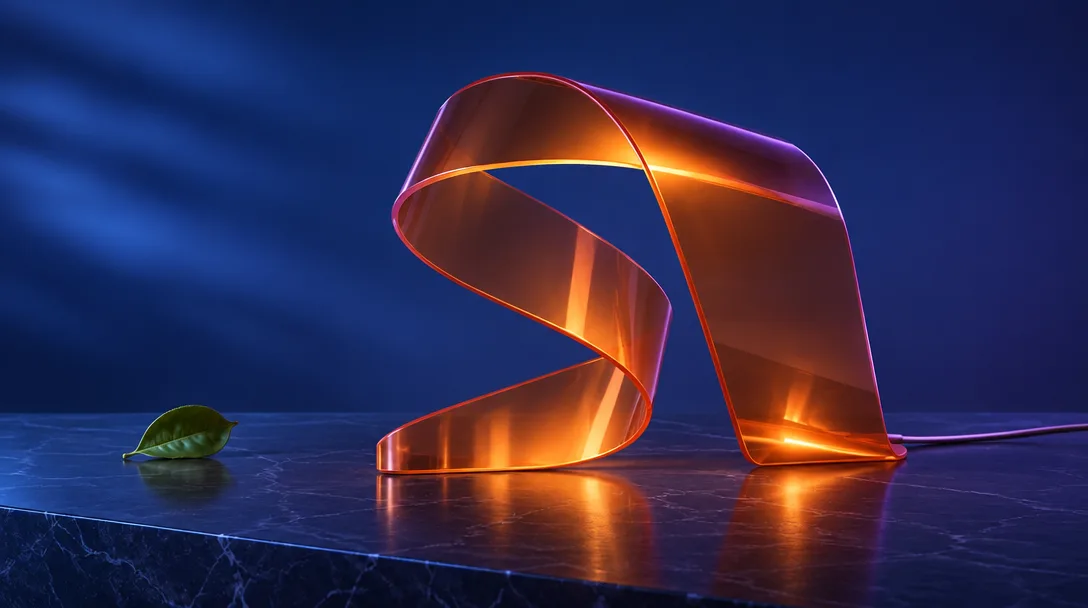
This Sunburst edit used the Flare product image as its reference. The instruction requested blue-hour lighting while preserving the lamp, camera angle, and composition.

Original daylight image of a folded ribbon lamp
01 · Daylight reference · Flare
Edited folded ribbon lamp with blue-hour lighting
02 · Blue-hour edit · Sunburst
View the full edit prompt

Use the provided product photograph as the reference. Preserve the exact folded-ribbon lamp shape, table, leaf, camera angle, scale, and composition. Change only the lighting and backdrop to a moody blue-hour campaign scene: deep cobalt ambient light, a restrained violet rim light, and warm orange glow inside the lamp. Keep material reflections physically plausible. No branding, no text, no logo, no watermark.

Use this edit prompt

Choose your variant

Flare or Sunburst?

Both variants are available for image generation and reference image editing in Bezio. Start with the pace and level of detail your brief needs.

GPT Image 2.6 variant guidance, checked November 6, 2026
DecisionFlareSunburst
Reach for it when…You want quick exploration and many concepts.You have a detailed brief or a precise edit.
Examples hereMeme, mascot, GIF, product conceptStory illustration, SVG, lighting edit
Working styleIterate from a simple first image.Spend more attention on intricate details.

Variant guidance follows OpenAI’s November 2026 announcement. Generation speed and image quality depend on prompt and settings.

Step by step

How to make an image with GPT Image 2.6

  1. 01

    Write or reference

    Describe your subject, style, and framing. For edits, add your reference image in the studio.

  2. 02

    Choose your settings

    Pick Flare or Sunburst, aspect ratio, resolution, quality, and image count.

  3. 03

    Review and generate

    Open the studio, check the credit quote, refine the prompt, and generate your image.

Questions, answered

GPT Image 2.6 FAQ.

What is new in GPT Image 2.6?

OpenAI added animated GIF and vector SVG output to GPT Image 2.6, alongside image generation and editing. This page shows an actual six-frame GIF made from a reference image and an actual path-based SVG made from a text prompt.

Can GPT Image 2.6 turn a reference image into a GIF?

Yes. The GIF example here uses the still mascot as a reference, then asks for a short, consistent looping animation. Motion, frame count, and timing are part of that generation brief.

Can I convert an uploaded image directly into SVG?

The current GPT Image 2.6 SVG generation endpoint creates SVG from text. OpenAI does not list SVG output for image edits, so the vector example here starts from a prompt rather than an uploaded reference image.

Can I export GIF and SVG from the Bezio image studio now?

Yes. Choose animated GIF or vector SVG as the output format for GPT Image 2.6 Flare or Sunburst. GIF can use a reference image and creates one square animation. SVG starts from a text prompt and creates one vector file.

Should I choose Flare or Sunburst?

Start with Flare for quick concepts, memes, and exploratory images. Choose Sunburst when a detailed illustration or a tightly specified edit needs more attention. Both variants are available in the Bezio image studio.

Does the hero form generate an image immediately?

No. It carries the prompt and chosen settings into the image studio. You can review the credit quote, add a reference image for edits, and make changes before generating.

Start with a picture in mind.

Make your first concept with Flare, or give a detailed illustration more attention with Sunburst.

Bicycle courier riding through a sunrise seaside town, generated with GPT Image 2.6 Sunburst
GPT Image 2.6 AI Image Generator | Flare & Sunburst on Bezio